Red Filter vs Colour Correction Underwater
On red filter vs colour correction underwater, the short answer is that a filter helps in clear blue water at moderate depth, and correction afterwards covers nearly everything else. Water absorbs red light first, so footage drifts blue-green as you descend. A filter fixes that at the lens, while correction fixes it on the computer, and each has depths and water types where it falls short.
Try Dive Color
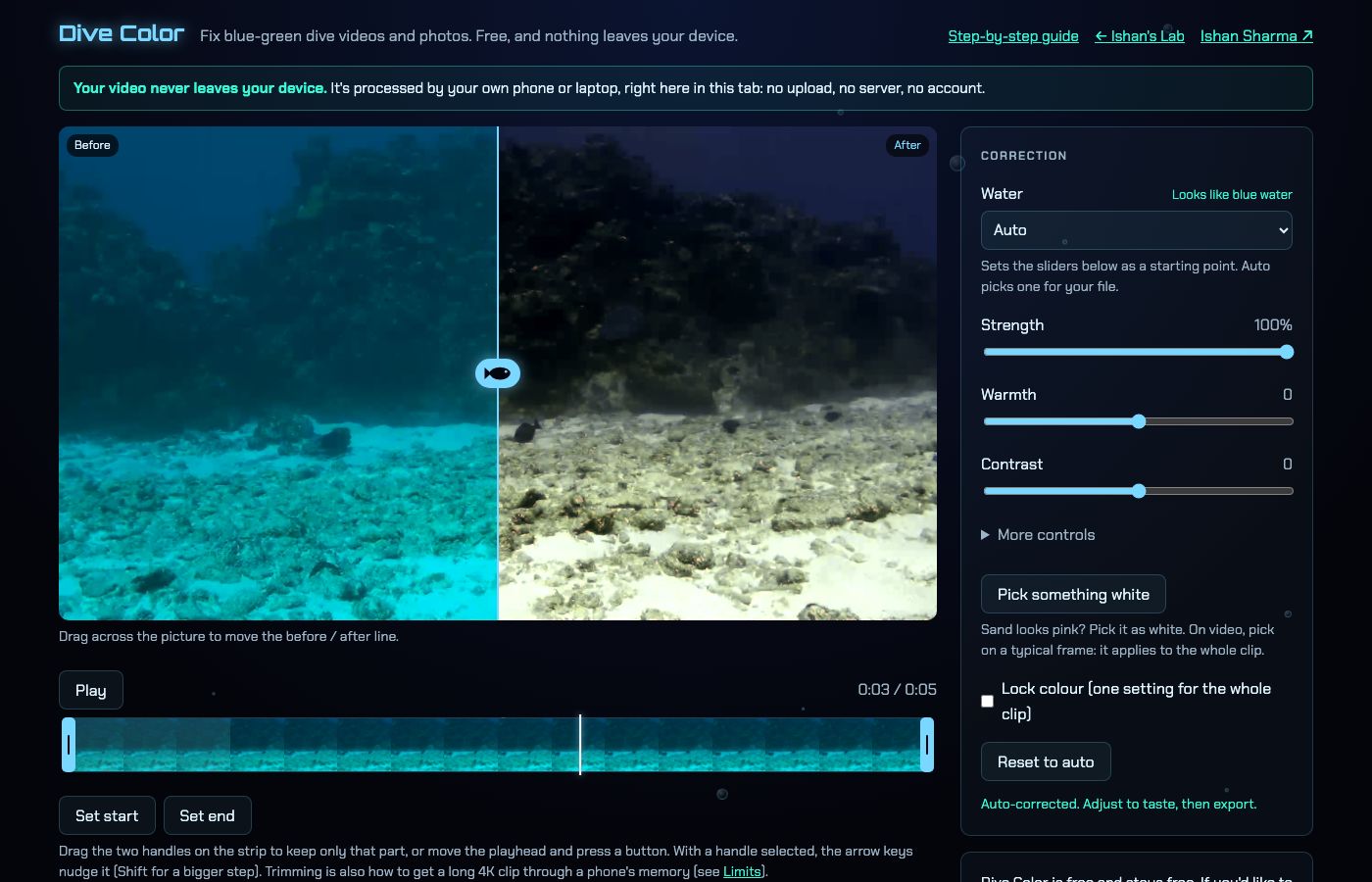 Open Dive Color, free in your browser
What does a red filter actually do?
A red filter, often a magenta one for green water, sits in front of the lens and cuts some of the blue and green reaching the sensor. The picture that gets recorded is already closer to balanced, so skin tones and reef colours look more natural on the camera screen. You normally set a custom white balance at depth with the filter on, which tells the camera what neutral looks like at that moment.
When does a red filter help?
- Clear blue water at moderate depth, where some red is still left but the camera's automatic white balance cannot recover enough.
- Quick sharing, when you want a usable clip straight off the card with no editing.
- Cameras that let you lock a custom white balance, since the filter and the setting work as a pair.
For a dive that stays within one depth band, this is a neat solution. You see something close to the final colour while you shoot, which also helps you judge framing and exposure.
When does a red filter not help?
- Shallow water has plenty of red already, and the filter pushes the picture towards pink.
- Deep or dark scenes suffer because the filter blocks light, usually by a stop or two, and there is little red to restore anyway.
- Green water such as lakes, fjords and quarries needs a different filter, and the wrong one makes the colour worse.
- Changing depth throws off the match, because the filter stays on while the water colour shifts as you climb or sink.
That last point is the common frustration. A white balance set at 18 metres looks wrong at 8 metres, and you only find out once you are home.
What does colour correction afterwards give you?
Correction after the dive works on the finished clip, so the camera records everything and the colour is decided later. It costs no light, since there is no glass in front of the lens. Depth changes through the clip can be followed, and you can redo the result if you dislike it.
The method I use has three parts, and the plain description is this:
- Red compensation adds back some of the red the water absorbed, based on a method from Ancuti et al. 2018. It only ever adds red.
- Gray-world white balance scales red, green and blue so their averages match, with limits so it cannot go wild.
- Levels lift the haze by setting black points, with one shared white point so deep-blue shots do not turn purple.
None of this is AI. It is plain maths on the pixels, which makes the result predictable. When a shot looks wrong, the cause is visible in the numbers rather than hidden in a model.
The limit is the same one a filter has. Very deep or dark shots have little red left to rebuild, so correction can only do so much with them.
Should I use both?
They do not conflict. A filter in moderate-depth blue water hands the software a clip with more red already in it, and a light touch of correction then finishes the job. The cost is the light the filter blocks, which matters most when the scene is dim. Divers who go to many depths or into green water can skip the filter and correct afterwards, which is the simpler route. Correction covers more situations than a filter does.
For more on why the colour goes the way it does, see Why Is My Underwater Video Blue? And How to Fix It. The queued guide Underwater White Balance Explained for Divers covers the camera setting that goes with a filter.
How do I correct footage after the dive?
I made Dive Color for my own clips. It is a free colour-correction tool for dive videos and photos, and everything runs in the browser. There is no account, no upload and nothing to install, and it works in Safari, Chrome, Edge and Firefox. The page reads the clip about twice a second and smooths the readings, so the colour follows depth changes without flicker. "Lock colour" uses one setting for the whole clip instead.
- Drop your clip onto the picture, or press Choose a file. MP4 and MOV videos work, along with JPG and PNG photos.
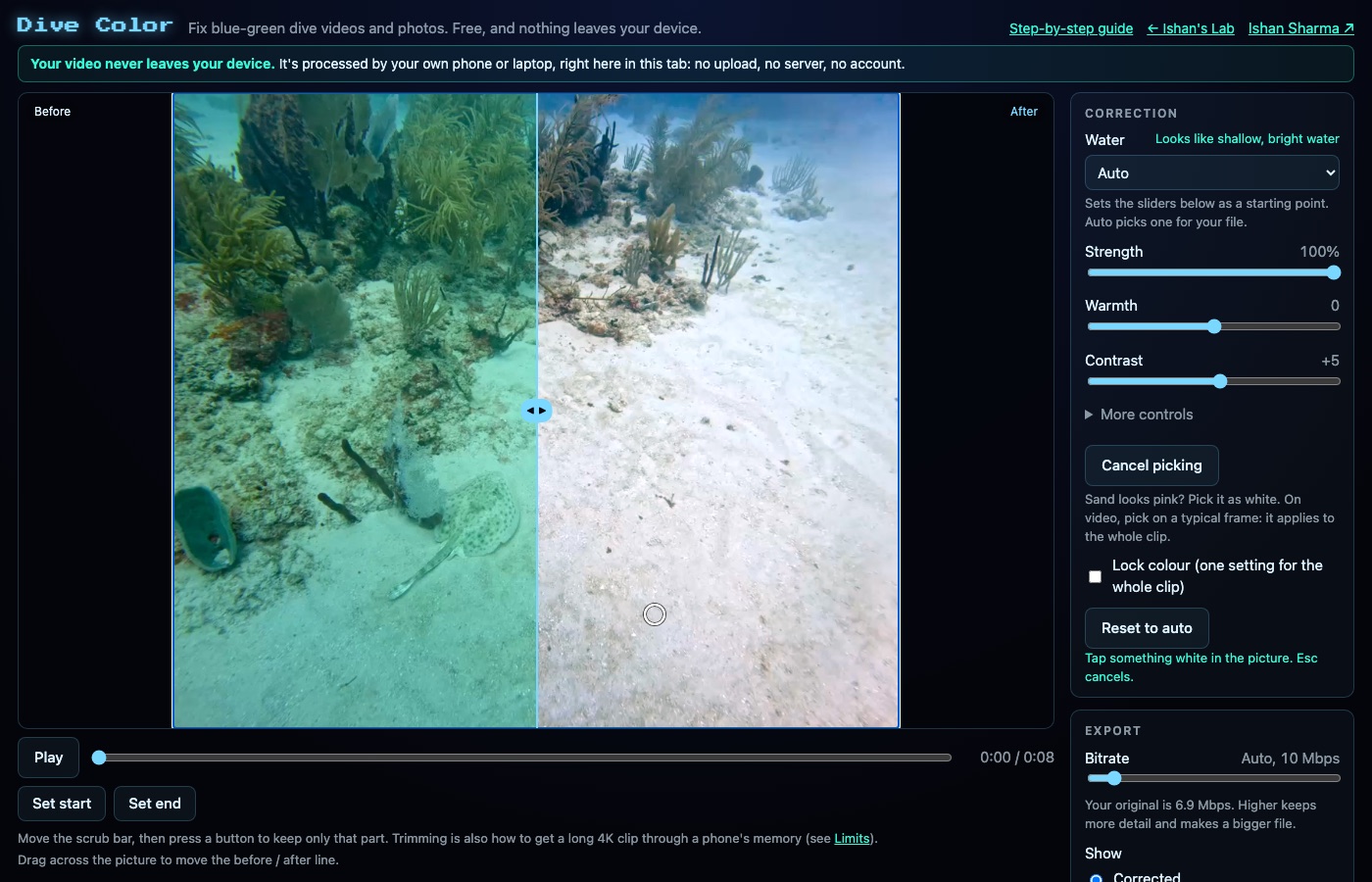
- Slide the line across the picture to compare. Left of it is the original and right of it is the corrected frame.
- Adjust only if you want to. Water type is picked automatically from the average colour and brightness, and the Strength, Warmth and Contrast sliders are there when the automatic result needs a nudge. For green water, the Tint slider takes the green out.
- Export. The file downloads with -divecolor added to the name.
Should sand or a white object still have a cast, press Pick something white and tap that spot. The tool scales red, green and blue so the spot comes out neutral, and the change is limited so a bad tap cannot wreck the picture.
A few things it will not do. It cannot rebuild red that is not there in a very deep or dark shot. Speed depends on your device, and long 4K clips are slow on phones. iPhone HDR clips export in standard range. Because nothing is uploaded, there is no sharing link, and the result is simply a file on your device.